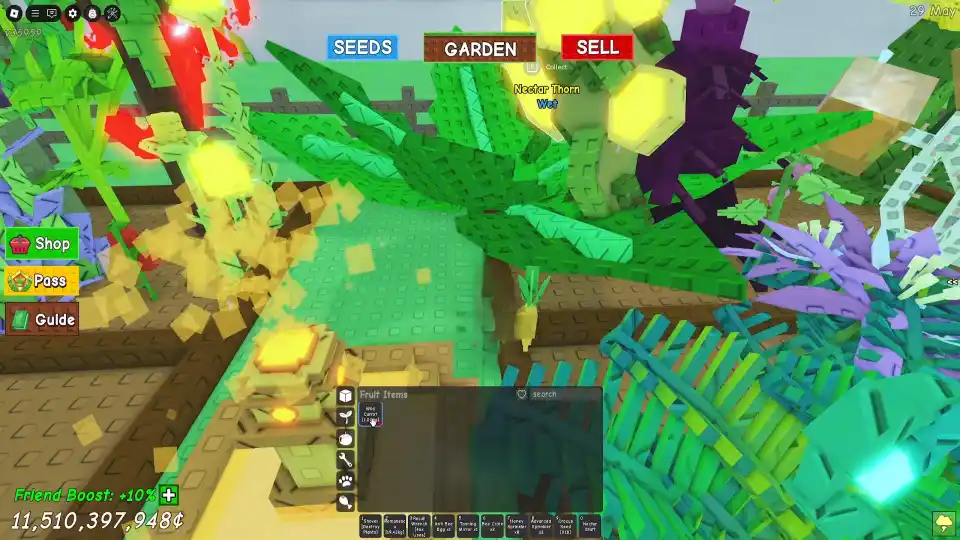
Grow a Garden – How to Grow a Massive Chipmunk (AFK Guide)
This is your ultimate guide to getting a massive, heavyweight chipmunk in the Roblox game Grow A Garden. We’ll show you the one and only method to get your chipmunk’s weight up fast for max rewards.
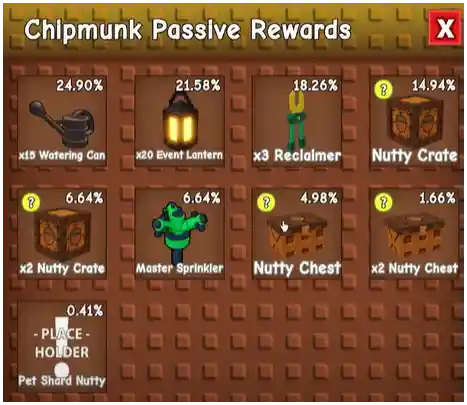
Aight, so the new Chipmunk pet just dropped in Grow A Garden, and everyone is trying to figure out how to turn their tiny new friend into an absolute unit. Why? Because the heavier your chipmunk gets, the more fire rewards you unlock. We’re talking about a whole reward track of free goodies just for making your little guy chonky.
You’ve probably seen some players with ridiculously massive chipmunks wandering around their gardens and wondered how they did it. The secret is actually super simple, but you can optimize it to get weight fast. This guide will give you the full lowdown on the one and only strategy to grow the biggest chipmunk on the server.
The Chipmunk: What’s the Big Deal?
Before we get into the how, let’s talk about why you should even care about your chipmunk’s weight.
- The Reward Track: This is the main reason. The game has a built-in reward system tied directly to your chipmunk’s weight. As it hits certain weight milestones (like 10kg, 50kg, etc.), you’ll unlock exclusive rewards. This could be anything from a fat stack of gems to exclusive seeds, special gear, or limited-time pets. It’s a free battle pass, but the only XP is how chonky your chipmunk is.
- The Flex: No cap, having a ridiculously massive chipmunk roaming around your garden is a huge flex. It’s a visual sign of your dedication (and your AFK skills), and it just looks hilarious.
The One and Only Method: AFK is King
So, how do you make your chipmunk gain weight? The game’s creator has made this a passive, time-based mechanic.
The Mechanics Explained:
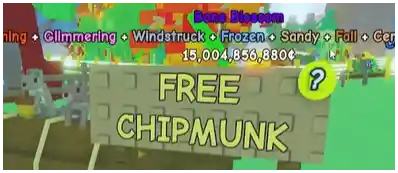
- Claim Your Chipmunk: First, you need to get the free pet.
- Equip it to Your Garden: This is the most important step. Your chipmunk won’t do anything if it’s not placed in your garden.
- The 2-Minute Timer: Once it’s in your garden, the chipmunk will automatically eat one fruit from your garden every 2 minutes.
- Weight Gain: Every time it eats, it gains weight.
- Acorn Spawn: After it eats, an acorn will also spawn somewhere randomly in your garden.
The one and only “strategy” to make your chipmunk grow is to stay in the game for as long as possible. The more time you spend in-game, the more it eats, and the bigger it gets. This is a true AFK (Away From Keyboard) challenge.
How to Maximize Your AFK Chipmunk Growth (The Real Guide)
Okay, so the strategy is to just go AFK. Bet. But you can be smart about it to maximize your weight gain per hour. You need to build the perfect AFK garden.
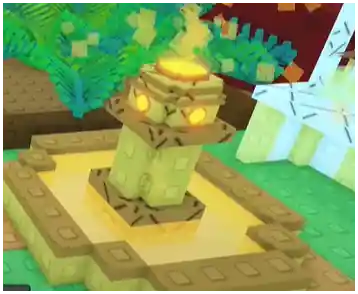
Build the Perfect AFK Garden
- Plant Fast-Growing, Low-Value Fruits: Your chipmunk does not care if it eats a basic strawberry or a super-rare, 12-hour-growth-time mythical fruit. It gains the same weight. So, don’t let your chipmunk eat your profits! Plant your entire garden full of the fastest-growing, cheapest fruits you have. This ensures there is always food available for it to eat on its 2-minute timer.
- Sprinklers are a Must: To be truly AFK, you need an automated watering system. Before you start a long AFK session, make sure you have sprinklers covering your entire garden. This will keep your cheap fruits growing back automatically, creating an endless food supply for your chipmunk without you having to do anything.
- Fill Every Plot: Don’t leave any open plots in your garden. The more food you have growing, the better.
Setting Up Your AFK Session
- Beat the 20-Minute Timer: Roblox will automatically kick you for being idle for 20 minutes. To stay AFK for hours or even overnight, you’ll need a way to avoid this. The most common method is to use a simple, free auto-clicker program that clicks your mouse every few minutes. Just make sure you download a safe one.
- Plug in Your Device: This sounds like a no-brainer, but it’s crucial. If you’re on a laptop or a mobile device, plug it in. You don’t want your battery dying in the middle of a 10-hour growth session.
- Lower Your Graphics: If you plan on leaving the game running for a long time, go into the settings and turn your graphics all the way down. This will reduce the strain on your PC or mobile device and prevent it from overheating.
What Doesn’t Work
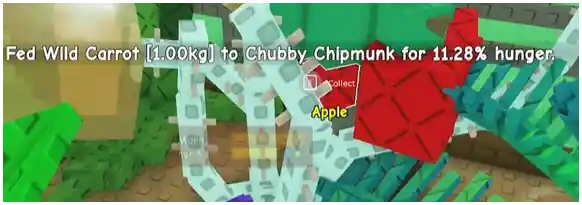
Just to be clear, you cannot manually feed your chipmunk. Dropping fruit on it or trying to interact with it won’t do anything. The process is 100% automatic. All you can do is provide the food and the time.
Now you have the ultimate strategy. Set up your AFK farm, go to sleep, go to school, and come back to a chonky chipmunk and a ton of rewards.