Little Rocket Lab: How to Get a Bigger Backpack
Constantly running out of inventory space in LittleRocketLab? Our guide will show you exactly where to find and how to purchase the Medium Backpack upgrade to carry more items.
How to Increase Your Inventory Size with the Medium Backpack
The Problem: A Full Inventory
It’s one of the most common roadblocks in any crafting and automation game. You’re out gathering resources or setting up a new production line, and you’re hit with the dreaded “inventory full” message.
The starting backpack in LittleRocketLab is pretty small and fills up fast. This can seriously slow down your progress, forcing you to make constant trips back to your base to empty your pockets into a chest.
The Solution: The Medium Backpack Upgrade
Thankfully, there’s an easy solution to your inventory woes. The first major inventory upgrade you can get is the Medium Backpack.
Purchasing this item will permanently increase the number of slots in your inventory. This means you can carry more raw materials, crafted components, and tools, allowing you to spend more time exploring and building your factory.
Where to Buy the Medium Backpack
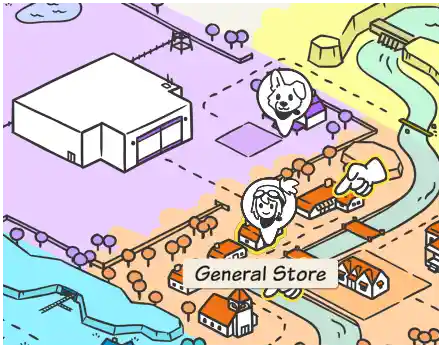
The Medium Backpack is not an item you can craft yourself. Instead, you’ll need to purchase it with coins.
To find it, you need to head into town and locate the General Store. This is one of the main shops you’ll be visiting throughout your journey.
Important: Check the Shop Hours!
This is a pro tip that will save you a lot of frustration. The General Store isn’t open 24/7. Like a real-world shop, it has specific operating hours.
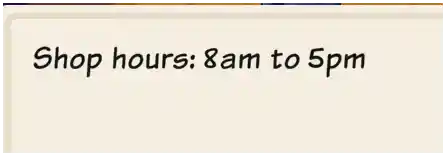
The shop is only open from 8am to 5pm. If you try to visit outside of these hours, the doors will be locked, and you won’t be able to buy anything.
How to Purchase the Upgrade
Ready to expand your inventory? Here’s a simple step-by-step guide to getting it done.
- First, make sure you have enough money. The Medium Backpack costs 3,000 coins.
- Check the in-game time and make sure it’s between 8am and 5pm.
- Head to the General Store in town.
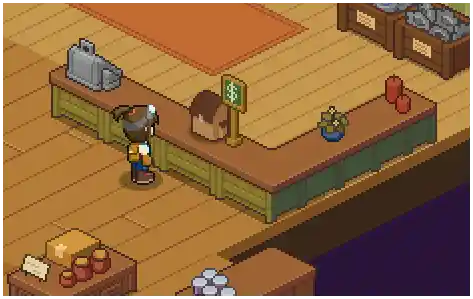
- Walk up to the main counter and interact with the small chest/cash register that has a green dollar sign symbol above it.
- In the shop menu, find the Medium Backpack, select it, and confirm your purchase. The upgrade will be applied to your inventory instantly.
Tips for Earning Coins
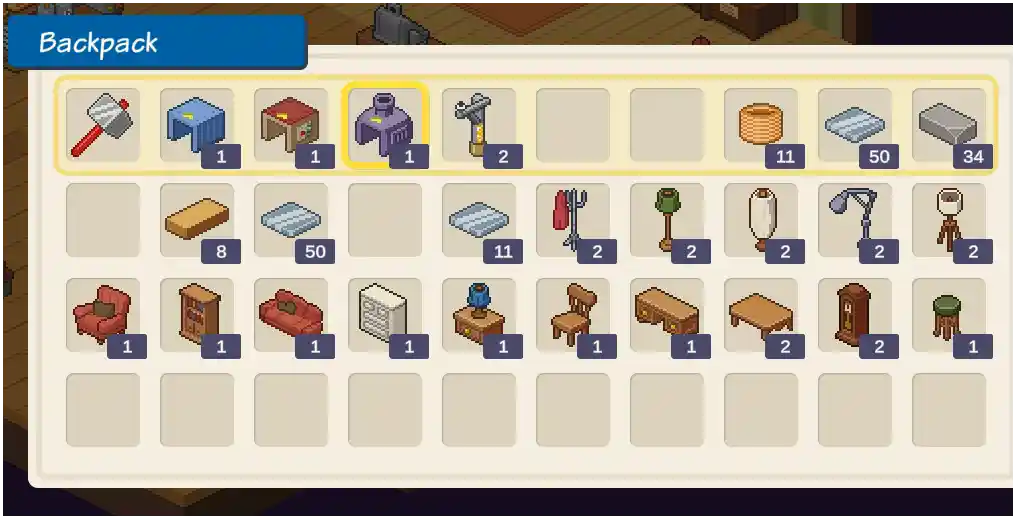
Need to save up 3,000 coins? The best way to earn money early in the game is by selling some of the components you’re already producing.
Set up a small, dedicated production line for an easy-to-craft item like Copper Wire or Gears. Let it run for a while to build up a surplus, and then sell the extra stack at the store for a quick profit.
Quick Guide to Upgrading Your Backpack
| Step | Action | Details |
| 1 | Save Money | You’ll need 3,000 coins. |
| 2 | Find the Shop | Go to the General Store in town. |
| 3 | Check the Time | The shop is only open from 8am to 5pm. |
| 4 | Buy the Upgrade | Interact with the cash register on the counter to buy the Medium Backpack. |