Necesse – Ultimate 1.0 FAQ & Starter Guide
Necesse is a chill progression-heavy sandbox with simple mechanics for new players. This guide covers key starter FAQs, boss routes, settlement tips, and multiplayer setups. Everything’s boiled down from a community guide for zero spoilers and max clarity.
Tips and Tricks
Controls and QoL
- Set custom keybinds for auto-sorting chests and auto-placing items in nearby chests using Settings > Controls.
- If screenshotting or background-running is blocked by the pause menu, disable “Pause on focus loss” in Settings > General.
Wiki Usage
- The Necesse wiki is a great source but not essential. Progression is much more straightforward than many similar games.
Questions and Updates
- Ask questions in the Official Discord (linked on the store page).
- This guide will update continuously; early version is for new player jumpstart.
Progression Overview
Quest System and Elder Behavior
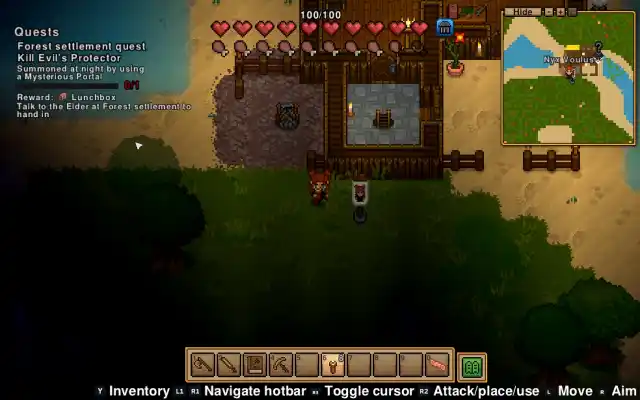
- Main progression uses a quest system provided by the Elder. Elder must be inside a settlement to offer quests.
- Place the settlement flag to establish or move your base anytime.
Flexible Progress Path
- Only three bosses are “mandatory” for true endgame progression, but they are tough spikes.
- No time limits, and you can pause quest progression to focus on settlements.
Bosses and Stages
Normal Caves
- Order: Forest → Snow → Dungeon → Swamp → Desert → Pirates
Deep Caves
- Order: Forest → Snow → Plains → Swamp → Desert → Desert Temple
Incursions
- Seven bosses, order varies.
Unlocking Deep Caves
- After defeating the section’s final boss, you’ll get an item that lets you access deep caves (e.g., Ice Pickaxe from Deep Snow Caves).
Builds and Classes
General Build Advice
- Four main classes: Ranged, Melee, Summoner, Magic.
- Ranged: Consistent for all progression.
- Melee: Early game can be rough, but it’s tanky mid/endgame with resilience gear.
- Summoner: Highs and lows, likely strongest endgame.
- Magic: Wide weapon variety, fun to play.
Mining Advancements
- Stuck on block breaking? Upgrade pickaxes as you progress or look for Ice Pickaxe in Deep Snow Caves.
Settlement Basics
Core Mechanics
- Settlements let you automate resource gathering, sell for gold, and create auto-sorting systems.
Settler Management
Recruiting Settlers
- Settlers randomly visit. Recruit via world villages or occasional wanderers.
Feeding & Inventory
- Store food in a settlement-linked inventory for automatic feeding.
- Settlers need access to settlement storage to empty their own inventories.
Stopping Settler Chest Interaction
- Remove chest from settlement storage (green house icon, no cogs).
- If settlers keep moving items, wait or break/replace the chest.
Crafting Beds
- Use wool and logs at a Carpenter’s Bench, crafted in a workstation.
Settler Happiness System
- High happiness lowers shop prices and makes settlers work more.
- Happiness boosts: Good food (quality/variety), spacious rooms, diverse furniture, smaller villages.
- Happiness drops: Untiled floors, room sharing.
Raiders
- Raiders attack with 3+ settlers, aiming to kill settlers and steal from you.
- Defend by gathering settlers and disabling raiders via settings.
Multiplayer Setup
Hosting Options
In-game Hosting
- Fast setup, free, host must stay online.
Dedicated Server
- Online 24/7, more complex, may cost money, or self-host with always-on PC.
Joining Worlds
- Easiest: All players add host on Steam and use direct invite.
- Hosted worlds may also show up in Play Multiplayer > Join a friend.
Common Multiplayer Issues
- Connection failures can be fixed by changing Steam download region and restarting both game and client.
Everything here is taken straight from the provided guide content. No outside research was performed; structure follows your exact Markdown header rules for SEO and best readability.