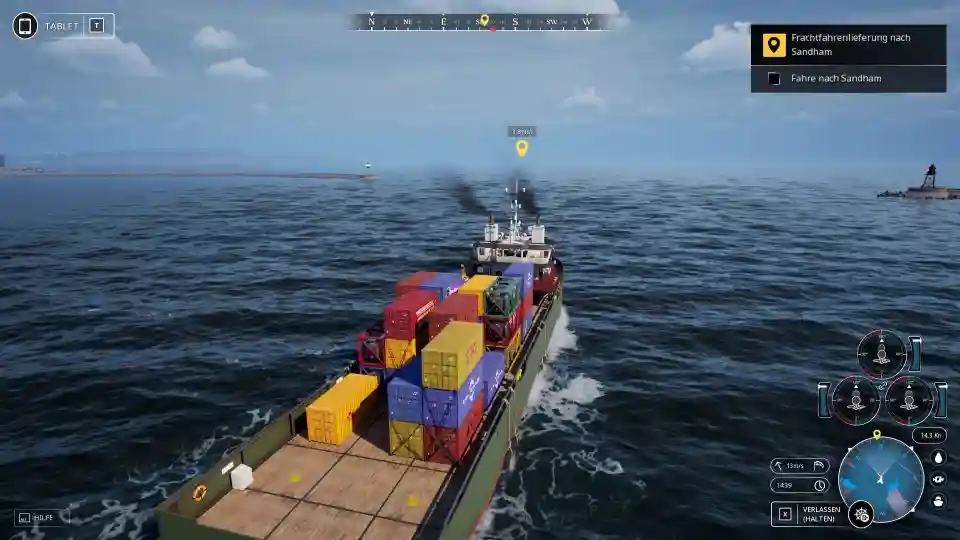
Seafarer: The Ship Sim – How to Secure Containers
Confused about securing containers in the Seafarer: The Ship Sim tutorial? This guide explains how to find the right containers, use both lashings and twist locks, and avoid a critical save game bug.
So you’re in the container tutorial, and the game tells you to secure containers. You walk around the deck, look at all the massive stacks of containers, and… everything is already locked down. It’s a super confusing moment, and the game gives you zero clues.
The struggle is real, but the solution is actually straightforward once you know the secret. The game has a specific workflow you need to follow, and more importantly, a tricky save game system that can cause a major headache.
The Main Secret: You Secure the Containers You Just Loaded
Here’s the number one thing the tutorial doesn’t tell you: you don’t interact with the containers that are already on the ship when you start. Those are just scenery.
Your first step is always to head over to the giant port crane and load the new, required containers onto your ship.
Once you’ve finished your crane work and step back onto the deck, the game will finally give you a hint. The specific containers you just loaded will be highlighted, showing you exactly which ones need to be secured.
The Two Types of Fasteners: Lashings and Twist Locks
Securing a container isn’t just a one-click job. There are two different types of mechanisms you need to lock in place to do it right.
Lashings: These are the most obvious ones. They look like long metal rods or thick straps that run diagonally along the sides of the containers, bracing them against the stacks.
Twist Locks: These are just as important. Twist locks are the locking pins on all four corners of a container. They lock a container to the one below it or directly to the ship’s deck. You’ll need to find and interact with all of them.
CRITICAL WARNING: The Save Game Checkpoint Bug
This is the most important tip in this guide. If you’re halfway through a task and decide to save your game, you could be in for a big yikes.
Seafarer: The Ship Sim uses a checkpoint-based save system. It does not save your exact progress. When you load a game, it puts you back at the last major checkpoint.
Here’s the trap: if you load the containers with the crane and then save the game before you secure them, you’ll lose all your progress. When you load that save, the game will put you back to a checkpoint before the containers were loaded. The highlights will be gone, and you’ll have to do all the crane work again.
Pro Tip: Always complete an entire objective in one go. Do not save your game in the middle of loading and securing containers.
Quick Steps for Securing Containers
Let’s put it all together in a simple checklist.
- Go to the crane and load the required containers onto your ship.
- Walk back onto the ship’s deck.
- Look for the highlighted containers. These are your targets.
- Interact with the highlighted points to secure the Lashings.
- Find and lock all the Twist Locks on the corners.
- DO NOT save the game until the objective is marked as complete!
What About Unloading?
This same logic applies when you get to a port and need to unload. Instead of guessing which containers to grab, the game should highlight the specific ones that are part of your mission. If they aren’t highlighted, it’s a good sign something is bugged, and you might need to reload an earlier checkpoint.