Upload Labs – A Guide to Request Uploader, Zooming and Compressor Chain Bug
This is your ultimate beginner’s guide to Upload Labs. We’re breaking down the most confusing early-game problems, like how the Request Uploader actually works, why your compressors are so slow, and other pro-tips the game doesn’t tell you.
Aight, so you just dropped into the super satisfying world of Upload Labs, and you’re ready to build a massive, automated factory. But after a few minutes, you’ve probably run into some stuff that makes no sense. Your Request Uploader is “completed” but gives you nothing, your compressor chains are running at a snail’s pace, and you just accidentally deleted a container with an hour’s worth of resources. Big yikes.
Don’t trip. This guide is your “things I wish I knew sooner” list. We’ve compiled all the most common questions and pitfalls for new players and laid out the solutions. Say less, let’s get into it.
The Request Uploader Explained: It’s Not What You Think
No cap, this is the #1 thing that confuses every new player. You build your first Request Uploader, hook up the inputs, watch the progress bar fill up, and it proudly says “Test Completed.” But then… nothing. Your token count is still at zero, and there’s no output to connect.
Here’s the big secret: The Request Uploader is NOT an ongoing, passive income machine. It’s a one-time quest objective.
Think of it like a bounty board. You’re not building a factory to generate tokens per second; you’re fulfilling a specific, one-time request for a lump sum reward.
The Correct Request Uploader Workflow
- First, check your Achievements/Requests screen. This is your to-do list. It will tell you what resource it wants next (e.g., “1000 Text Compressed”).
- Build a Request Uploader somewhere in your factory.
- Connect the correct resource inputs to it (in this case, a line carrying “Text Compressed”).
- Wait for the progress bar to fill and for the “Test Completed” message to appear.
- Now, go back to your Achievements/Requests screen. You will see that the line for that request is now complete. You have to manually click on the completed line to claim your one-time reward of coins/tokens.
- Once you’ve claimed your reward, you can delete the Request Uploader. It has served its purpose and is now just taking up space. For the next request, you’ll build a new one.
The Compressor Chain Bug: Why is My Second Compressor So Slow?
So you’ve set up a sick compressor chain. You’re feeding a “game raw” file into your first compressor, and it’s flying. But when you feed its output into a second compressor, that second machine is super slow, even though it’s working with a smaller file.
The Cause (It’s Probably a Bug): The community has figured this one out. It seems that the “Optimized Compression” perk only applies to the first compressor in any given chain. This means your second, third, and fourth compressors are all running at the slow, base speed without the perk’s bonus. It’s almost certainly a bug or an unintended feature that will hopefully get patched soon. For now, just know that chaining compressors isn’t as effective as it should be.
Pro-Tips & Common ‘Gotchas’ for New Players
Here are a few other things you should know to avoid frustration.
BE CAREFUL WHEN DELETING! (There’s No Undo)
Listen up, this is a huge PSA. The game currently has no “undo” button. If you accidentally delete a storage container that’s full of thousands of resources you just spent an hour processing… they are gone forever. Pain. Until the devs add an undo function or at least an “Are you sure?” confirmation pop-up, you need to be super careful when cleaning up your factory. Double-check what you’re deleting before you click.
Zooming In and Out
Right now, the only way to zoom your view in and out is with the mouse wheel. A lot of players are asking for keyboard hotkeys (like Q and E) to be added, so hopefully we’ll see that in a future update. For now, it’s mouse wheel only.
A Basic Strategy for Your First Factory
- The Goal: Your main goal in the early game is to automate the production of whatever resource is next on your Requests list.
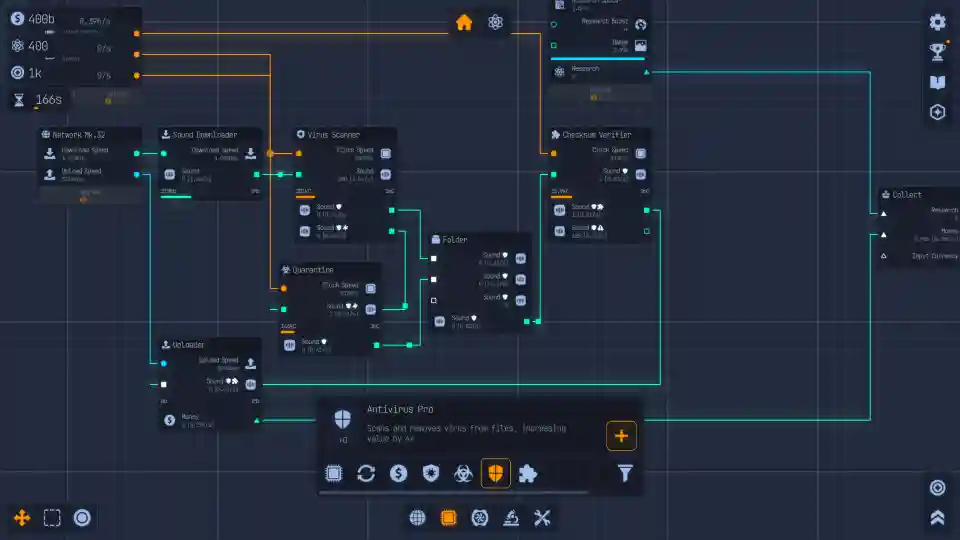
- The Core Loop: It’s a simple flow: Downloaders create raw files. You connect those to Processors (like Compressors or Decompressors). You then feed the output into either a Request Uploader (to complete a quest) or a Storage Container (to save up for later).
- Plan for Scale: Don’t build your machines super cramped and close together. It might look efficient at first, but you’ll regret it later. Leave yourself plenty of space to add more machines, splitters, and mergers as your factory grows. A little bit of planning now will save you from having to tear down and rebuild everything later.
Now that you know the secrets, get back to building that mega-factory. Good luck!